

A practical guide to AI in GRC: where it earns its keep, where it will burn you, and why a human still signs the attestation.
The Robots Are Coming (To Help, Mostly)
A few months back, someone asked me, jokingly, whether I was worried that AI in GRC was going to take my job. I laughed. Mostly because I haven’t slept in years, and the idea of a tireless digital version of me churning through evidence reviews at 3 AM sounded less like a threat and more like a vacation. But it’s a fair question, and it’s one I hear in some form every once in a while from MSPs, DIB contractors, and fellow GRC practitioners, and even people in totally unrelated fields or industries alike. AI is gaining prevalence all over the place, not just in STEM fields.
So, let’s talk about it. In this blog, I want to walk through three things: the practical, real-world use cases where AI genuinely helps in Governance, Risk, and Compliance (GRC) work, the pitfalls that come along for the ride (and boy, are there pitfalls), and why the human review element isn’t a nice-to-have but a load-bearing wall in any AI-assisted compliance program. I’ll also share how we at IntelliGRC have approached this with our own AI capabilities, Alfie and Evan, because I think they’re a helpful illustration of what “AI done responsibly” can look like in this space.
What We Actually Mean by “AI in GRC”
Before we get too far, let’s define our terms, because “AI” has become one of those words that means everything and therefore nothing. When I say AI in this blog, I’m primarily talking about large language models (LLMs) and the systems built around them: tools that can read documents, interpret natural language, classify content, summarize, and generate text. I am not talking about Skynet, and I am definitely not talking about a sentient assessor that certifies your environment while you sleep (at least not yet; given the hints at modernization we’re seeing in our industry, I wouldn’t be surprised if such concepts are on the horizon.)
Also, here’s a preface/disclaimer I want to make sure everyone is aware of when reading my content. I’ve you’ve heard me talk about AI at all, you’ve more than likely heard me say cautiously optimistic things about it; emphasis on the “cautiously” part. I’m a natural skeptic and that especially includes the use of AI models. We’ve been learning and applying AI technologies to our workflows for several years now and I’ve had awesome experiences it, but I’ve also had incredibly poor, time-wasting experiences using certain models. I will say, these AI technologies have come a long way and I’ve got much more confidence in them than I used to. Nonetheless, I feel I have a permanent scar from the bad experience that just makes me general skeptical. At the same time, we’ve incorporated them so heavily in our workflows as a society, I can’t really see how we’d ever revert to work life without them.
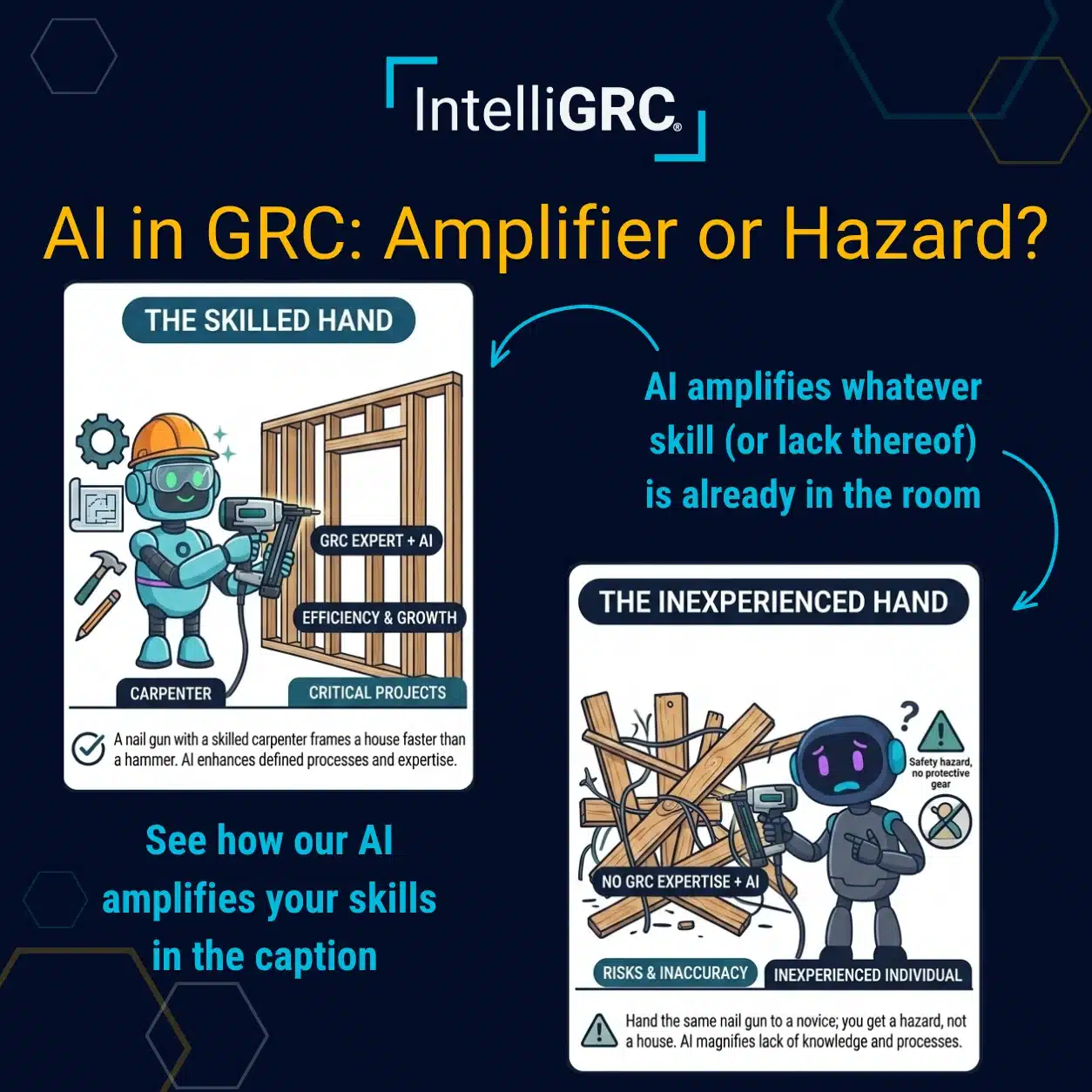
So, here’s the mental model I keep coming back to: AI is a powerful tool. A nail gun lets a skilled carpenter frame a house dramatically faster than a hammer ever could. But hand that same nail gun to someone who has never framed a wall, and you don’t get a house. You get a hazard. The tool amplifies the skill, or the lack thereof, of whoever is holding it. Tuck that principle into your tool belt, because it drives everything else in this post.
Practical AI Use Cases in GRC Workflows
Let me flesh out where I’ve seen AI provide genuine, measurable value in GRC workflows. Not theoretical value. Real “we got hours of our week back” value.
1. AI-Assisted Evidence Review and Mapping
If you’ve ever prepared for a CMMC Level 2 assessment, you know the evidence grind. Hundreds of artifacts (policies, screenshots, configuration exports, diagrams) that need to be mapped against 320 assessment objectives. A well-built AI can read a document, identify which assessment objectives it may help satisfy, point to the relevant text, and explain its reasoning. What used to take days of a senior analyst’s time can be compressed into hours of review time instead.
2. Gap Assessments and Control Evaluations
AI can compare your documented and implemented state against requirement language and produce draft findings, draft implementation status recommendations, and draft remediation steps. Notice how many times I said “draft” in that sentence. That was on purpose, and we’ll come back to it.
3. Documentation Drafting and Consistency Checking
First drafts of policies and procedures, System Security Plan (SSP) narratives and cleanup, and one of my personal favorites: checking whether your policy actually says what your SSP claims it says. Human beings are shockingly bad at catching drift between documents they wrote eight months apart. AI is obviously good at it.
4. Framework Crosswalking Across NIST, SOC 2, and ISO 27001
Many organizations juggle NIST SP 800-171, SOC 2, ISO 27001, HIPAA, and more at the same time. AI can help identify overlaps and reuse opportunities across frameworks so you’re not reinventing the wheel for every engagement. A quick caution here, though: each framework has its own taxonomy and nuance, and a lazy crosswalk that flattens those distinctions will hurt you in an assessment. Overlap is not equivalence and you’ll want to make sure that the prompts, datasets, and resources provided to AI technology to assist in an effort like this take that into account.
5. Knowledge Support and Analyst Upskilling
A junior analyst asking “what is this requirement actually getting at?” and receiving a plain-language explanation, with pointers to the authoritative source, can shorten the learning curve significantly. The key phrase there is with pointers to the authoritative source. More on that shortly.
The common thread? AI excels at the reading-heavy, pattern-matching, first-draft layers of GRC work. It compresses the distance between “pile of documents” and “structured starting point.” And, if you’ve been working in GRC for anytime, you’d probably agree that these aren’t trivial tasks. The things I just mentioned are significant, time-consuming tasks that can really suck the life out of GRC work and make it incredibly tedious effort.
AI Compliance Risks: The Downsides and Cliffs to Watch Out For
For every genuine use case above, there’s a way to hurt yourself with the same tool.
Pitfall #1: Hallucination Delivered with Confidence
LLMs are engineered to generate plausible text, and plausible is not the same thing as true. I’ve seen AI tools cite security requirements that don’t exist, paraphrase regulatory language just loosely enough to change its meaning, and confidently attribute things to NIST SP 800-171 that appear nowhere in the publication. In our field, precision is everything. The difference between what a requirement actually says and what an AI tool says it says can be the difference between a MET and a NOT MET. This is why it’s incredibly important when developing an AI feature or use case, that the dataset be tightly controlled and that training the model be done in an unwaveringly disciplined manner. Not anyone with an opinion should be considered as a valuable source of information for the next result.
Pitfall #2: Garbage In, Gospel Out
If the evidence or context you feed an AI is incomplete or outdated, it will produce confident conclusions built on a bad foundation. And here’s the dangerous part: humans have a documented tendency toward automation bias. When the computer says it, we’re inclined to believe it. A wrong answer delivered with confidence can be more dangerous than no answer at all.
Pitfall #3: Data Privacy and Scoping
A long with the babies, this one keeps me up a bit at night. When your team pastes sensitive client data, or worse, Controlled Unclassified Information (CUI), into a consumer AI chatbot, you have potentially just transmitted contractually regulated information to an external system with unknown handling, retention, and training practices. For DIB contractors, that has real implications under DFARS 252.204-7012 and for your CMMC Assessment Scope. Before any AI tool touches sensitive data, you need clear answers: Where does the data go? Is it used to train the model? What role does that provider play in your assessment?
Pitfall #4: Accountability Cannot Be Outsourced
When an assessor asks why a requirement was marked implemented, “AI said so” will not make any sense. Your SPRS score is affirmed by a human being with a name and a title. Your attestations are signed by people, not models. The organization owns every conclusion in its compliance record, no matter who or what drafted it.
Pitfall #5: Deskilling Your Team
And probably one of the more controversial yet obviously true cons: If your team never wrestles with requirement language because AI always does it for them, you’re slowly trading away the very expertise you need to review the AI’s work. I’ve personally already seen the effects that over-dependance on LLMs for the bulk of the effort has had on the quality of the work as well as the knowledgeability in this space.
If two or three of those just described your last assessment cycle, you’re not alone, and it’s usually a scoping problem rather than a tooling problem. If you want a second set of eyes on where AI fits in your compliance program and where it genuinely shouldn’t, we’re always happy to talk it through.
Why Human Review Is Non-Negotiable
Here’s where I put my stake in the ground: every AI-generated output in a GRC workflow needs human review, confirmation, and ownership before it becomes part of your compliance record. And I mean actual review, not review theater where someone clicks “approve” forty times before their coffee kicks in.
“But Steven, if I have to review everything anyway, what’s the point of the AI?” I’m glad you asked! The point is that reviewing a well-structured draft, complete with rationale and pointers to source material, is dramatically faster than producing that same analysis from scratch. The value of AI in GRC isn’t removing the human. It’s repositioning the human from author to editor and approver. The AI proposes; the human agrees and applies.
A few practical pointers for building this into your workflows:
Pointer #1: Preserve traceability. Keep a record of what was AI-suggested versus human-approved. If a finding is ever challenged, you want to be able to show the chain of judgment. This will support accountability as well as the improvement of the AI capability.
Pointer #2: Train your people on the limits of the tools. This pairs naturally with the role-based training you’re likely already doing for security-relevant roles. Your team should know what these tools are good at, where they fail, and what data is permitted to touch them. Nothing wrong with more solid training!
Pointer #3: Set the AI culture wisely. I think it’s a good thing to position AI as a tool that speeds up and enhances things that humans should do and to remove the burden of doing things that humans shouldn’t have to do and that takes away from their focused efforts on those things they ought to do. However, I think it’s a mistake to take the opposite mindset, where the use of AI is predicated on the desire to remove the “humans ought to do this” distinction. I think it’s obvious, from an ethical point of view, that there are some things that a human ought to have to do. Things that involve the need for accountability, ownership, and business ethics shouldn’t be offloaded to a soulless agent that has no stake in the game. My recommendation is to build the culture in a way that encourages hard work, integrity, and accountability and that looks at AI as a tool to enhance people’s ability to strive for those virtues instead of removing the need for them.
How Alfie and Evan Put This into Practice
I’d be remiss (and my marketing team would be mildly heartbroken) if I didn’t mention that these principles are exactly how we built our own AI capabilities at IntelliGRC. Consider this less of a sales pitch and more of a concrete illustration.
Evan, our Evidence Analyzer, tackles use case number one. Upload a file, and Evan scans it against your target frameworks, whether that’s CMMC Level 2, SOC 2, or whatever, identifies which assessment objectives the file may satisfy, highlights the relevant text, and explains why. Critically, every recommendation comes with a confidence rating and a rationale. You can configure Evan to auto-map evidence only at a confidence level you define or not to auto-map at all (my general recommendation) so that a human must be there to adopt the suggestion. The human sets the bar; Evan is programmed to respect it.
Alfie is the virtual compliance SME. Alfie performs gap assessments with explicit findings, remediation steps, and validation methods, and evaluates requirements to generate structured narratives your team can review and apply. And when Alfie’s recommendations bump into notes your team already wrote, you choose whether to append, overwrite, or skip. The human stays in control of the record, always. If the evidence you provide doesn’t seem to fit the logic Alfie has for a given requirement/objective, Alfie will indicate that it doesn’t believe the requirement is met based on what it sees/data available to it and will provide you with helpful information/context to aid you in your next steps such as writing Plan of Action and Milestone items. Again, it’s an assistant. The goal is to speed you up, no replace you and your accountability.
Just as importantly, we built them with Pitfall #2 in mind. Your data stays in your tenant and is not used to train our models unless you specifically provide that info to our team on a case by case basis as you use the tools which our SME team uses to the tune. IntelliGRC’s AI processing stays within the boundary of our FedRAMP GRC efforts. We hold ourselves to the same standards we help our members meet. Anything less would be, well, awkward.
Packing Up: AI in GRC Is a Tool, Not a Replacement
At the end of the day, AI in GRC is neither savior nor snake oil. It’s a powerful tool, and powerful tools reward skilled hands. The organizations getting real value from AI right now are the ones pairing capable tools with capable humans and clearly defined review processes. The ones getting burned are the ones who handed the nail gun to the intern and walked away.
If you’re exploring how AI fits into your compliance program, or you’re simply buried under a mountain of evidence and gap assessments and could use a hand (human, virtual, or both), we’d love to talk. Reach out through our contact page at https://intelligrc.com/contact-us/ or shoot us an email at sales@intelligrc.com.
As always, Happy Implementing!
Steven Molter
Lead GRC Consultant and GRC Evangelist, IntelliGRC
Connect with me on LinkedIn if you want to keep the conversation going!
Key Takeaways
- AI delivers real value in GRC workflows: evidence review and mapping, gap assessments, documentation drafting and consistency checks, framework crosswalks, and analyst upskilling.
- The major pitfalls are hallucination, automation bias, data privacy and scoping concerns, non-transferable accountability, and the slow deskilling of your team.
- Human review is non-negotiable. The AI proposes; the human disposes. Every output needs review, confirmation, and ownership before it enters your compliance record.
- Ask every AI-enabled vendor where your data goes, whether it trains their models, and how their tool keeps humans in control.
- IntelliGRC’s Evan (Evidence Analyzer) and Alfie (Automated Logic for Intelligent Evaluations) were built on these principles, with confidence ratings, human-defined automation thresholds, and AI processing kept within IntelliGRC’s FedRAMP Moderate Equivalency boundary.
Frequently Asked Questions
Should AI replace my GRC team or consultant?
No. AI accelerates the reading-heavy and first-draft layers of GRC work, but interpretation, judgment, and accountability remain human responsibilities. Assessors evaluate your organization’s conclusions, not your tooling.
Is it safe to put CUI into AI tools?
It depends entirely on the tool. CUI should only touch systems that meet your contractual and regulatory obligations (particularly DFARS 252.204-7012), and any AI capability that processes CUI needs to be evaluated as part of your CMMC Assessment Scope. Consumer chatbots generally do not qualify as they are normally cloud hosted and do not meet the FedRAMP Moderate requirements outlined in DFARS 252.204-7012 and the associated DoD CIO Memo that addresses FedRAMP Moderate Equivalency.
Will assessors accept AI-assisted documentation?
Assessors evaluate whether your documentation accurately reflects your implementation, not who typed the first draft. What matters is that your organization has reviewed, validated, and owns every word.
What should I ask a vendor offering AI-powered GRC features?
Four things at minimum: where the data resides, whether customer data is used to train models, whether the AI explains its reasoning and confidence, and what controls keep humans in the approval loop.
References
- NIST AI Risk Management Framework (AI 100-1), National Institute of Standards and Technology, January 2023
- NIST SP 800-171 Revision 2, Protecting Controlled Unclassified Information in Nonfederal Systems and Organizations
- NIST SP 800-171A, Assessing Security Requirements for Controlled Unclassified Information
- DFARS 252.204-7012, Safeguarding Covered Defense Information and Cyber Incident Reporting
- 32 CFR Part 170, Cybersecurity Maturity Model Certification (CMMC) Program Final Rule
- IntelliGRC, “Introducing Evan and Alfie: AI That Redefines Compliance for MSPs & MSSPs” (August 2025)
- IntelliGRC, FedRAMP Moderate Equivalency Assessment Completion Announcement (January 2026)